
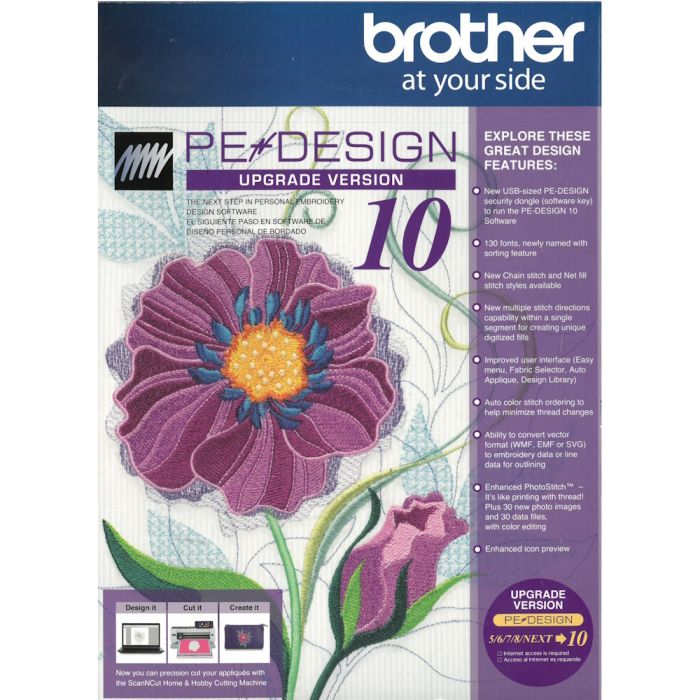
Brother PE-Design Upgrade from Version 5/6/7/8/NEXT to Version 10
$249.00
In stock
SKU
87856
This is an UPGRADE. You must already have on of these versions Brother PE-Design on your PC before installing this.
Version 5/6/7/8/NEXT must already be installed on your PC.
PE-DESIGN® 10
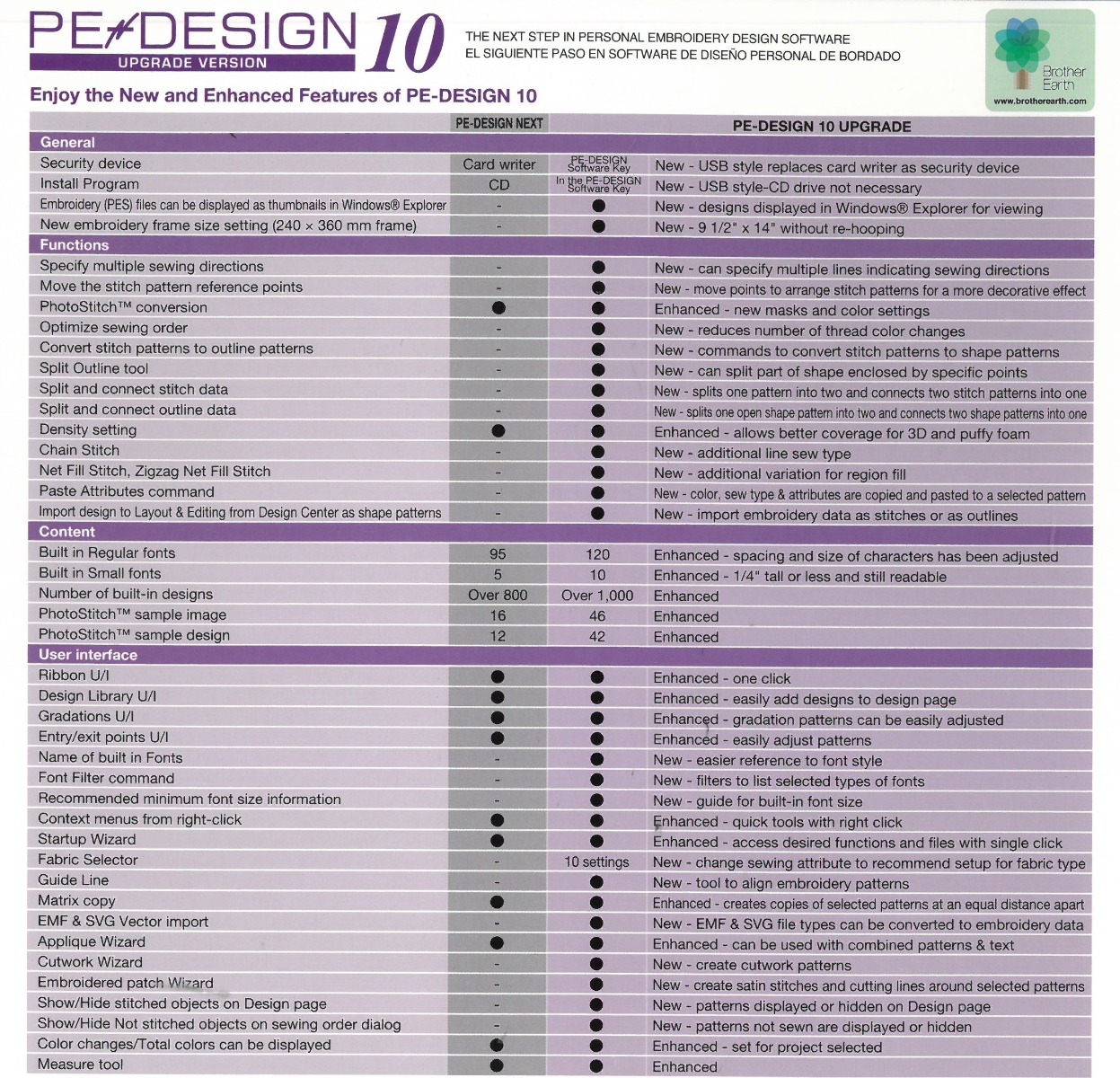
- New, convenient USB-style software key
- 130 built-in fonts, over 1000 built-in designs
- View design thumbnails in Windows® Explorer
- View names of built-in fonts
- Enhanced PhotoStitch™ masks and color settings
- Enhanced density setting for 3D and puffy foam
- Intelligent color sort to reduce thread changes
- New chain stitch and net fill stitch
- Improved Stitch to Block now keeps sewing attribute
- USB style Dongle with installation program on USB device.
- New opening screen wizard
- Fabric and hoop selector
- Streamlined platform (3 tabs instead of 5)
- Displays embroidery designs as thumbnails (pes data) – show view icon options
- 120 Fonts + 10 micro fonts, fonts have been re-digitized, more characters and symbols have been added to some of the fonts and the character spacing has been adjusted
- Font Filter
- Names of Fonts and recommended min size added to built in fonts
- New Stitch Types – explain that gapping can result or lines can peek out.
- Optimize Sewing Order Command – Color Sorts and changes entry and exit points to closest connection
- Matrix copy
- Embroidered Patch Wizard
- Cutwork Wizard available for all, but cutting function only available if PR hoop is selected
- Enhanced Applique wizard – can do multiple items on the screen, can do lettering without converting to outline all in one click, can do pre-digitized designs
- Guideline function has been added
- Hide objects not stitched in the Sewing order window
- Hide items on screen to assist in editing – Show Stitched Objects
- Ghost image when using the split stitch function
- Color list can be set to display Color Changes or Total colors
- Import patterns docked on the Integrated Sewing Attributes Screen
- New pattern categories
- Left click and hold on a pattern and a dotted line will appear in the design window to show size
- Smart color sort button
- Block punch tool can be edited with outline tool functions including remove overlap, Merge, set hole sewing, create offset lines, applique wizard, create floral lines, etc.
- All fills available for manual punch
- Convert to Outline for Pre-digitized patterns
- Split at point
- Connect points
- Split Outline tool
- Paste Attributes command
- EMF and SVG files can be digitized with the Import from Vector file
- Patterns can be imported from Design Center into layout and editing as outline format for advanced editing
- More right mouse click menu options
- Guidelines addedfor alignment
- Enhanced photo stitch
- More designs
- New 9 ½ x 14 in hoop – for The Dream Machine
- Measure tool has been improved – left click to start, left click to end. Look at measurement at bottom of menu – gives length height and angle of area measured
- Resizing has been improved doesn't tend to change the stitch type.
- Import color charts
- Moved Stitch view icons to bottom of screen
- Double the density for puffy foam
- Edit
Minimum PC Requirements
Computer: IBM PC or compatible computer
Operation System: Windows Vista®, Windows® 7/8/8.1/10
Processor: 1 GHz or higher
Memory: 512MB (1GB or more is recommended)
Hard Desk Free Space: 300MB
Monitor: XGA (1024x768), 16-bit color or higher
| SKU | 87856 |
|---|---|
| UPC | 012502639473 |
| Part Number | SAVRPED10 |
| Condition | New |