
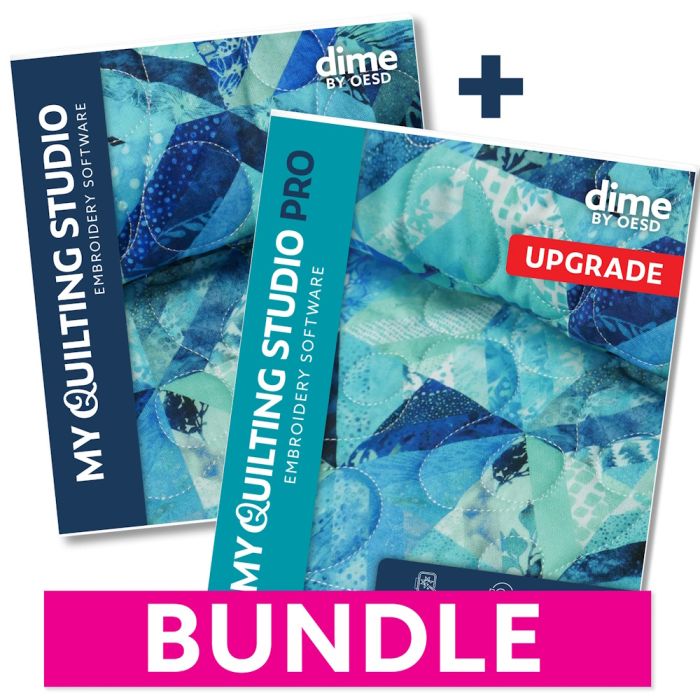
dime by OESD My Quilting Studio PRO Embroidery Software Bundle
Design, Resize, and Digitize Your Own Quilts
My Quilting Studio PRO is a quilting software bundle from dime by OESD that turns your computer into a digital quilt design studio. It pairs the core My Quilting Studio program with the PRO add-on, so you can lay out a quilt, resize designs to fit, and digitize your own blocks to stitch on an embroidery machine or longarm.
Unlock the ultimate quilting experience with My Quilting Studio PRO bundle! Get our core quilting software with the PRO upgrade: it's everything you need for total quilting satisfaction! My Quilting Studio is your digital design workspace for quilting layouts, while the PRO upgrade gives you the ability to customize, resize, and digitize your way to custom quilting heaven! Create stunning quilts with ease, from small blocks to king-size.
Two Programs in One Bundle
- My Quilting Studio core software: your workspace for quilt layouts
- PRO add-on: customize, resize, and digitize
The bundle includes the core My Quilting Studio software plus the PRO add-on, which adds customizing, resizing, and digitizing tools. Together they cover a project from the first block to the finished quilt.
Over 1,200 Quilt Blocks With PRO
- More than 1,200 quilt blocks across dozens of categories
- Piece blocks right in the hoop
- Classic stars, nine patch, log cabin, mariner's compass, and more
The PRO Upgrade adds a library of over 1,200 quilt blocks and lets you piece blocks in the hoop. Browse categories from classic stars and nine patch to log cabin and mariner's compass to find the look you want.
Designs That Fit Every Quilt
- Smart Resizing adjusts designs to your quilt
- Auto Layout fills the space evenly
- Works from a single block to a king-size top
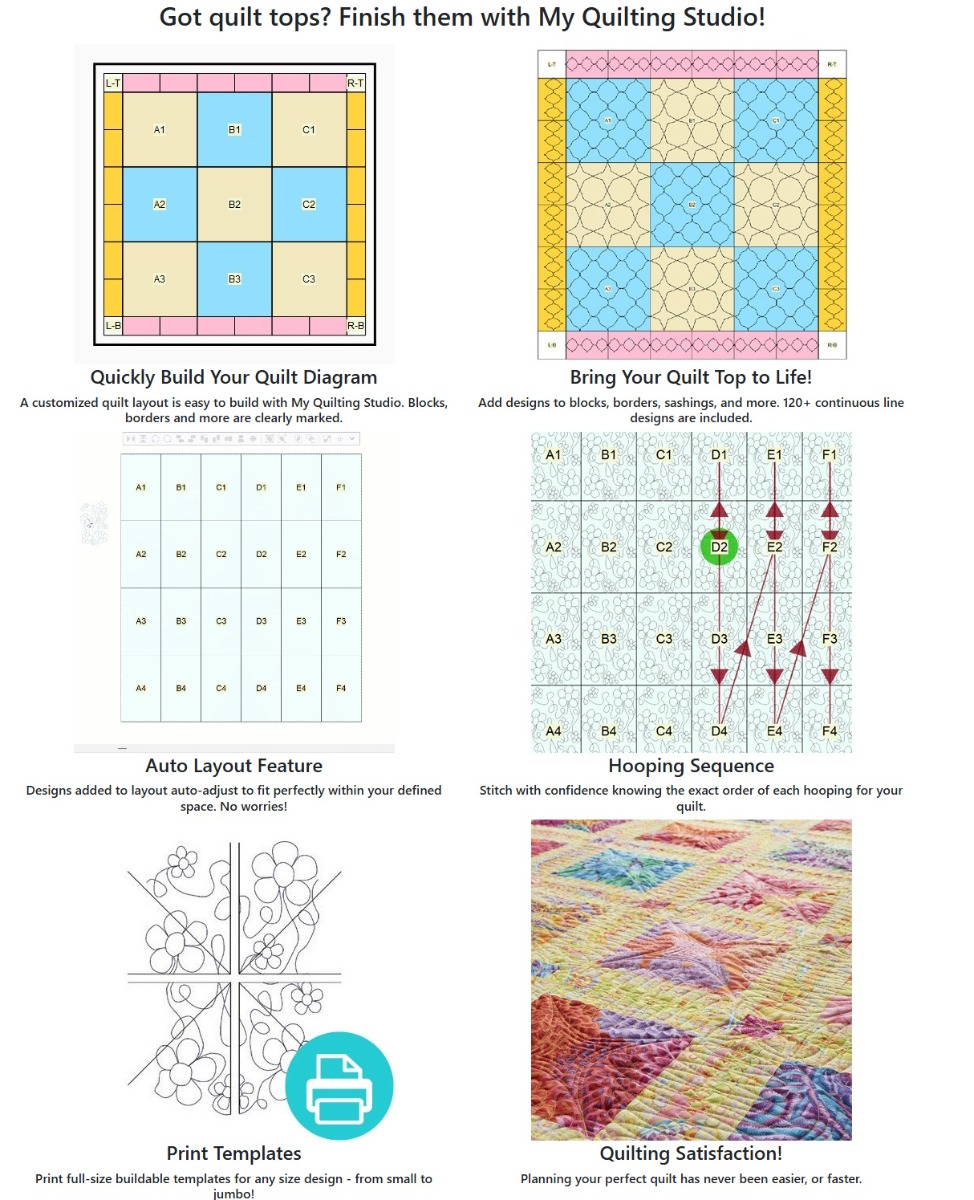
Smart Resizing and Auto Layout adjust your designs so they fit the quilt you are making, whether it is one block or a king-size top. Designs auto-adjust to fit the space, so you spend less time nudging things into place.
Stitch With Confidence
- See the full hooping sequence before you start
- Print full-size templates for placement
- Preview the finished quilt on screen
The dime by OESD My Quilting Studio PRO Embroidery Software Bundle shows the hooping sequence so you know the order to stitch each section. Print full-size templates for accurate placement, and preview the finished quilt while you design.
The dime by OESD My Quilting Studio PRO Embroidery Software Bundle is Built for Your Machine and Computer
- Supports the BQM format
- Longarm compatible
- Digitize your own quilt designs
My Quilting Studio PRO supports the BQM format, works with longarm setups, and lets you digitize your own quilt designs. It runs on both Windows and Mac. See the Specifications tab for full system requirements.
Key Features of dime by OESD My Quilting Studio PRO Embroidery Software Bundle
- Two-program bundle: My Quilting Studio core plus the PRO add-on
- 1,200+ quilt blocks: piece blocks in the hoop with PRO
- Smart resizing and auto layout: designs fit blocks to king-size
- Hooping sequence and full-size templates: stitch in the right order
- BQM format and longarm compatible: fits your quilting workflow
- Windows and Mac: runs on current systems
-
Specialty Features
- Automatic quilt layout includes multiple borders, sashings, and layout options
- Design custom layouts or allover quilting from block to king size
- View quilt designs on your actual quilt top
- Show/hide layers
- Auto export designs of the entire layout
- Print hooping diagram
-
Design Features
- Load in a backdrop
- Includes 120+ continuous line designs
- Autofit designs into blocks, borders, and more
- Auto-align
- Quilt Label Wizard
- Save to all popular embroidery formats
- Import A2Z fonts - also includes 11 Micro Fonts
-
Editing Features
- Center align
- Resize with stitch regeneration
- Copy/paste/merge
- Group/ungroup
- Rotate/mirror
- Customizable toolbars & shortcuts
-
View Features
- Print full-size templates
- Virtual design redraw
- Zoom/pan with realistic viewing options
- Gridlines & guidelines
- View & create hoops
- Audition fabric in blocks
Minimum System Requirements:
PC
- Windows 11
- Processor: 1 gigahertz (GHz) or faster with 2+ cores or System on a Chip (SoC)
- RAM: 4 GB (64-bit)
- Free hard disk space: 64 GB
- Graphics card: DirectX 12-compatible with WDDM 2.0 driver
Mac
- MacOS¨ version 14.x.x (Sonoma)
- Processor: 8th-generation Intel Amber Lake/Coffee Lake or Intel Xeon-W, or Apple M1/M2/M3/M4 chip
- Memory: 8 GB
- Free hard disk space: 25 GB
Once purchased, software is non-refundable.
Formats Supported:
- Embroidery Files - C2S, C2F, CSD, DAT, DST, DSB, DSZ, EMD, EXP, HUS, JEF, JHS, KSM, LDF, M3, PCM, PCS, PEC, PES v1–2, PES v4–9, PHC, SEW, SHV, SST, TAP, TBF, T01, T03, T05, U01, U02, VIP, VP3, VP4, XXX, ZSK, 10o
- Vector / Cutter Files - DXF, FCM, PLT, SVG
- Graphic / Image Files - JPG, PNG
- Quilting / Longarm Files- BQM, CQP, HQF, HQA, HQV, HQW, IQP, PAT, QCC, QLI, SSD, TXT
| SKU | 98207 |
|---|---|
| UPC | 810068183535 |
| Part Number | SWQSBUN-C |
| Condition | New |