
Embrilliance Essentials Embroidery Software
Embrilliance Essentials Embroidery Software
Every embroiderer needs to do some basic things. Those things should be easy and fun, not an hour long trip to the dealer for a class. And it shouldn’t cost an arm and a leg, either. And just because your computer is a Mac with OSX or a PC with Windows 7 64 doesn’t mean you should be left out! Embroidery software should be easy, fun and useful for everybody.
A couple years ago, someone told us what they like to use in their software. And then we heard the same thing from someone else. And it occurred to us that there are some things which are, “Essential to every embroiderer.” Yet many software programs have everything and the kitchen sink too, and they charge you for it. So we put just those things in one simple, inexpensive program, and called it, “Essentials.”
What are these “Essentials?”
Using your Mac or Windows PC you can use Embrilliance Thumbnailer Essentials Embroidery Software:
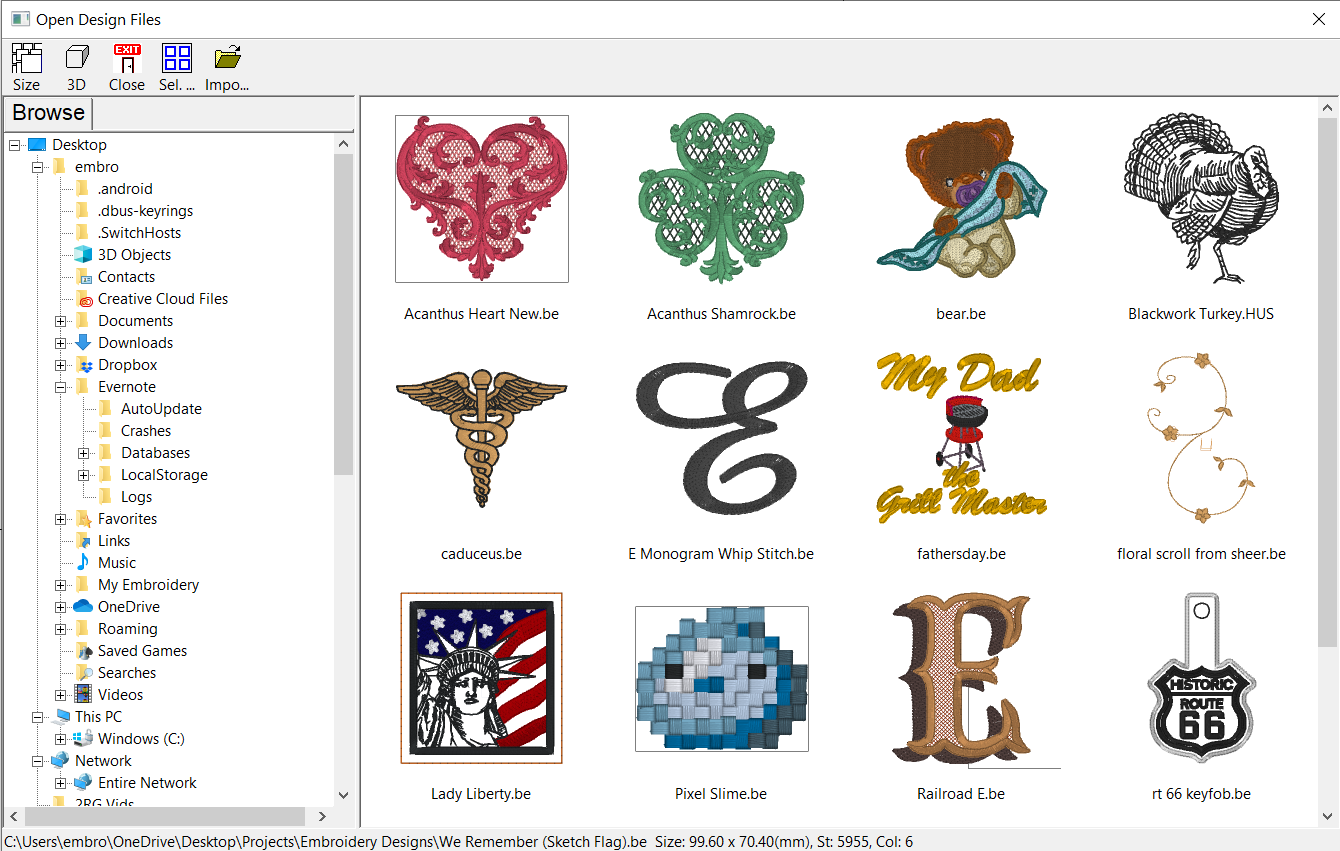
- Merge embroidery designs in almost any format, even while they are in .ZIPs.
- Resize, with stitch recalculation.
- Colorize.
- Convert Thread Brands on your designs.
- Add lettering in Multi-Line, Monogram and Circle modes. You can even spiral text or make really LARGE letters.
- Save in your machine’s format.
- Save working files so that you can edit text later.
- Print real-size templates.
- Overlap designs and have significant understitching removed.
- Run a simulator to show how your designs will sew out.
- Group/ Ungroup
- Change or remove individual colors in a design.
- Have many chances to Undo your work.
- Fit to Hoop with stitch recalculation.
- Align and Distribute.
- Add basting stitches to designs.
- There are special, self-modifying designs that can be used, and some come with the program. These designs calculate their stitches as you play with them for super results!
- Intel Mac OSX 10.5 (Leopard) and later
- Windows XP 32-bit, Windows Vista 32/64, Windows 7 32/64
- Embrilliance is the only brand in the World that offers embroidery software running native on Mac and Windows 32 and Windows 64 (so it’s faster)!
- Modify lettering and create monograms with built-in placement templates and styles, including slant, spacing, and curve tools.
- Sequence lettering to run left to right, reverse, and center-out for easy hat and cap text and use monogram sequencing to stitch specific letters on top of the rest.
- Convert lettering objects to stitches for inserting mid-letter color changes and functions.
- Save any design into your embroidery machine’s format.
- Saves to .CSD, .DST, .DSZ, .EXP, .EXP+, .HUS, .JEF, .PCS, .PCM, .PES, .SEW, .SHV, .TAP, .VIP, .VP3, .XXX
- Embrilliance Essentials lets you convert the placement stitch lines from applique embroidery design stitch files into vector shapes you can cut with both home and commercial cutting machines. With a couple of clicks, applique cut files can be saved as .SVG, .PLT, .FCM (ScanNCut) and .studio (Silhouette).
- Embrilliance Essentials has applique features that make it unique in the embroidery world. You can use an existing applique design and select position and material colors allowing the removal of hidden top-stitches in overlapping appliques, while leaving the position and material runs unmodified. You can also use the position color to create a cutting file using our patent-pending technology. Brother ScanNCut, Silhouette Cameo, and other cutters can use the files Essentials creates.
-
We all know there are other programs to do embroidery; some have great features, and some even have great prices. Sadly, features you’re told you’ll love are the ones you rarely use and when you want to do a simple task, it isn’t easy. Often, products have no dedicated community and help is haphazard. Worse, the inexpensive web-only software isn’t supported by your local dealer.
Embrilliance is here to fix all that. We have dealers, dedicated support, and wonderful software narrowed down to the features every embroiderer needs. More than that, we made it affordable! If you have the desire to get more out of embroidery than simply using your machine, Embrilliance Essentials is how you do it.
-
We believe that every embroiderer needs basic tools to view, manage, and customize their embroidery designs. Those tools should be fast to learn and shouldn’t cost an arm and a leg. They should work with the computer you prefer, whether it’s a Mac or a PC with Windows 10. Embroidery software should be easy, fun, and useful for every embroiderer.
An embroiderer friend once explained the tools they needed most in their embroidery software; and we listened. When more and more people agreed, it occurred to us that some tools are really essential to every embroiderer. Other programs may have them, but include excessive add-ons, throwing in everything including the kitchen sink and charging you accordingly. We take just what embroiderers need most and pack them one simple, inexpensive program; that’s Embrilliance Essentials.
What are the “Essentials?”
With Embrilliance Essentials installed on your Mac or Windows computer, you can:
- Merge embroidery designs in almost any format, even while they are in .ZIP files.
- Resize embroidery designs with stitch recalculation.
- Colorize embroidery designs and convert between thread brands.
- Add lettering to your embroidery designs in Multi-Line, Monogram and Circle modes. You can even spiral text or make really LARGE embroidered letters.
- Includes 21 scalable, object based fonts!
- Sequence lettering to run left to right, reverse, and center-out for easy hat and cap text and use monogram sequencing to stitch specific letters on top of the rest.
- Convert lettering objects to stitches for inserting mid-letter color changes and functions.
- Save any design into your embroidery machine’s format.
- Saves to .CSD, .DST, .DSZ, .EXP, .EXP+, .HUS, .JEF, .PCS, .PCM, .PES, .SEW, .SHV, .TAP, .VIP, .VP3, .XXX
- Save appliques for cutting machines such as Brother Scan ‘n Cut, Cricut, Sizzix and Silhouette.
- Automatically split embroidery designs for many common Multi-Position hoops.
- Get ‘Project Advice’ for many difficult embroidery tasks and materials.
- Save ‘working’ embroidery files so that you can edit and replace text later.
- Save notes on individual designs in your file to store special instructions and information.
- Print real-size embroidery design templates with support for scanning /cutting systems.
- Overlap embroidery designs and have significant hidden stitches removed.
- Set ‘jump’ stitches for automated trimming, hand trimming, and/or connecting run stitches.
- Run a simulator to show how your designs will sew before you put them on your machine.
- Import and type text using popular .BX font design collection files distributed by many digitizers and stock design companies.
- Group and Ungroup embroidery objects and imported designs
- Change or remove individual colors in an embroidery design.
- Sort color stops intelligently to group elements in a color together, accounting for proper overlapping!
This border repeat design went from 9 colors to 3! - Undo changes as you work, with many levels of ‘Undo’
- Fit designs to your hoop with stitch recalculation.
- Align and Distribute elements in your embroidery design.
- Add basting stitches to embroidery designs.
- Use our special self-modifying designs, and try out a few that come with the program! These designs calculate their stitches as you play with them for super results!
- Use special template files that allow for text in envelopes and on pre-drawn baseline shapes.
- Manage your embroidery thread collection, including marking ones you own, including quick and easy import from CSV spreadsheet files.
- Create Designer 1 floppy disks and USB sticks
- Wirelessly send designs to Brother and Baby Lock machines.
- Directly access your imported fonts and libraries for easy transfer between computers.
Size matters, too!
Some companies charge more than this for a program that only does resizing of embroidery designs. With Essentials, sizing with stitch recalculation is included! You can re-size embroidery designs down to 50% and up to 250% of their original size!
We Live in a Colorful World
Colorize your embroidery designs! In a couple clicks, you can convert an entire design to your favorite thread brand. Want to change colors in a design one-by-one? Do you have a DST file without colors and want to see what it looks like in color and save a new file? No problem! We’ve got you covered. Er, colored! You can even create your own custom palette manually or by importing a formatted CSV file, but if you don’t see your thread brand in the software, we’ll add it for you! Send us a link to your brand’s color info and we’ll include it in future releases of the Embrilliance Platform.Applique
Embrilliance Essentials has applique features that make it unique in the embroidery world. You can use an existing applique design and select position and material colors allowing the removal of hidden top-stitches in overlapping appliques, while leaving the position and material runs unmodified. You can also use the position color to create a cutting file using our patent-pending technology. Brother ScanNCut, Silhouette Cameo, and other cutters can use the files Essentials creates.
Create applique cut files from stitch file placement lines! What makes Essentials stand out from the rest?
We all know there are other programs to do embroidery; some have great features, and some even have great prices. Sadly, features you’re told you’ll love are the ones you rarely use and when you want to do a simple task, it isn’t easy. Often, products have no dedicated community and help is haphazard. Worse, the inexpensive web-only software isn’t supported by your local dealer.
Embrilliance is here to fix all that. We have dealers, dedicated support, and wonderful software narrowed down to the features every embroiderer needs. More than that, we made it affordable! If you have the desire to get more out of embroidery than simply using your machine, Embrilliance Essentials is how you do it.
Modify lettering and create monograms with built-in placement templates and styles, including slant, spacing, and curve tools.
Ships from multiple locations
| SKU | 30650 |
|---|---|
| Part Number | BB-ESS10 |
| Condition | New |
| Minimum Advertised Price | $0.00 |