
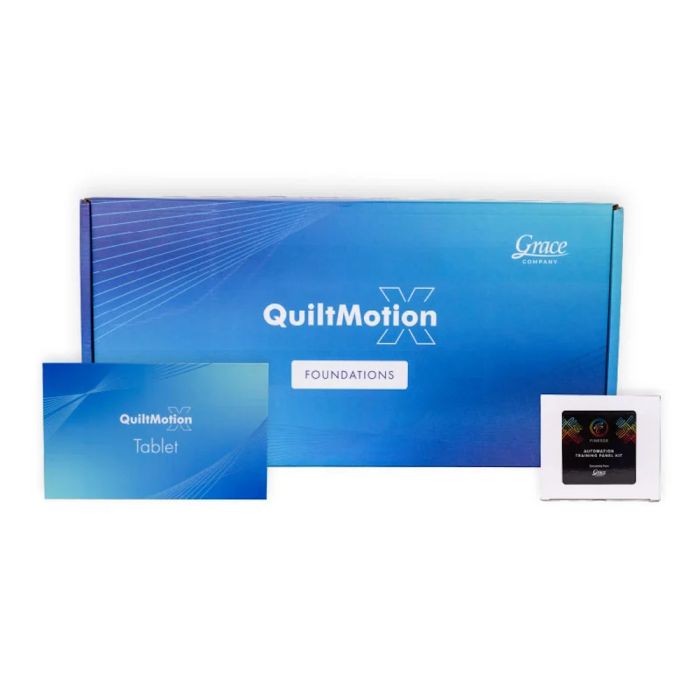
Grace Quiltmotion X Automation for Longarm Quilting Machines - PRE-ORDER ONLY

PRE-ORDER ONLY. Shipping November 15
IF YOU ALREADY OWN THE GRACE QCT6 AUTOMATION YOU ARE ENTITLED TO A $2,000 CREDIT
If You’re Considering QMX
Return only your automation control box and receive a $2,000 credit toward QMX; the rest of your QCT is yours to keep. This is a limited-time offer, available at least until QMX begins shipping in late October.
Whether you're making a simple block, a graceful panto, or a clean line, QuiltMotion X makes it effortless. Just pick a design, choose where to place it, and QMX will stitch it. Block quilting designs don't get any easier; just choose your 4 points for precision and let QMX sew out the design. Get quilted pantograph designs by choosing start and end points while QMX handles the rest, so you have no worries. Straight lines while quilting can be tedious, but when you choose your start and stop points, QMX makes it fun and easy. Experience flawless stitching and beautiful designs with the power of automated quilting. QMX supports the designs you already own, including SVG, QLI, CQP, HQF, and DXF files from any source.
The Grace QMX Foundations for Longarm Machines is compatible with these Grace Frames
- Cutie Breeze Frame
- Q-Zone Hoop Frame
- Q-Zone Queen Frame
- Continuum II
- Quilter's Evolution Hoop Frame
- Quilter's Evolution Elite Frame
The Grace QMX Foundations for Longarm Machines is compatible with these Grace Longarm Machines
- Any Grace 15 machine (Additional hardware required; contact us for more information)
- Any Grace 16 machine
- Any Grace 19 machine
- Any Grace 21 machine
Grace Offers 3 Modes of the QMX Foundations for Longarm Machines. Choose the one to meet your needs below
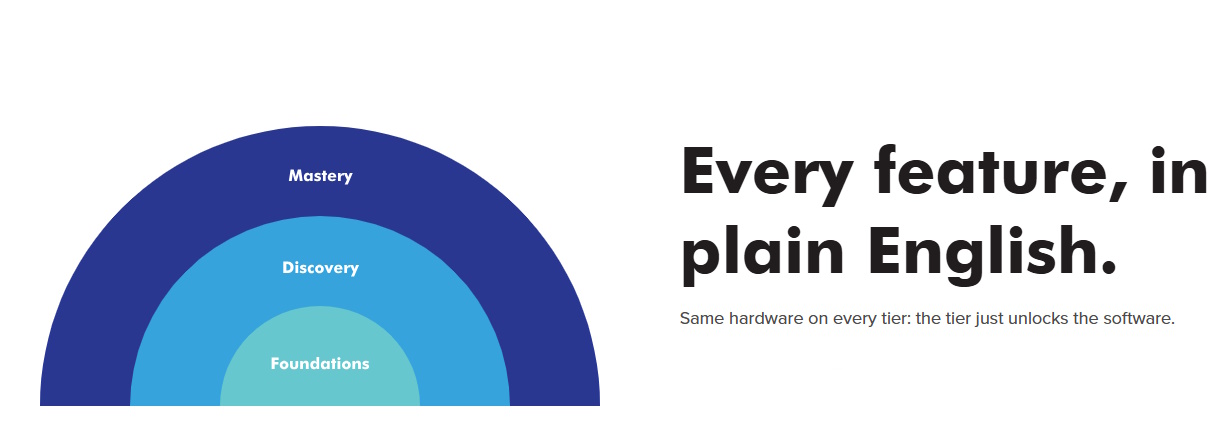
QMX Foundations Tier
-
Free-Motion ModeFree-motion quilting mode — belts disengage for drag-free hand quilting (belt engagement/disengagement via lead
-
Needle Position TrackingHall-effect position tracking (Halifax sensors), X and Y axes — continuous even while belts are disengaged.-screw motor).
-
Channel LocksHorizontal or vertical axis lock for straight lines.Frame Boundary Mapping - Frame space definition (trace to record boundary) + frame space shrink measures fabric roll growth, auto updates the quilting zone.
Design Library & Store
- Built In design library with search, favorites, and organization: design preview before selecting.
- Grace Design Store - browse, buy, and download patterns: design redoanload and refresh
- Design Import - AVG / multi file type design import from third party sources
Pantograph
- Simple Pantograph - pick design, (Block, Simple panto, Line), two point start & end placement, design height adjust for Horizontal and vertical
Block Quilting
- Basic block placement - design-fit. Stretch to fill and proportion lock, rotage and flip controls
Custom quilting & lines
- Stitch a straight line between two points: line design height and flip controls.
Sewing Controls
- Prepare tp sew; pull bobbin, move to start, single stitch check
- Pause and resume stitching - Real time progress bar (percentage and stitch count); pause and resume mid-stitch
- Stitches per inch control, securing stitch (micro stitch or back and forth); sew speed(slow/medium/fast); tie-off setting;send design to machine
Repair & recovery
- Repair from Break Point - navigate by path number to the break point; stitch repair resumes from the stop point
- Manual repair controls - Repair controls (Last / Closest / Back / Forward); nudge tool; single stitch during repair
Pro Tools & Projects
- Digital Ruler - Have the tools at hand to measure your digital quilting space and see that relative to your real space.
- Show Actual Size - Show the actual size of your design relative to your quilt.
- Undo & Redo / Reset View / Confirm & Continue -Place again, pick a new design, or restart.
QMX Discovery Tier

-
Free-Motion ModeFree-motion quilting mode — belts disengage for drag-free hand quilting (belt engagement/disengagement via lead
-
Needle Position TrackingHall-effect position tracking (Halifax sensors), X and Y axes — continuous even while belts are disengaged.-screw motor).
-
Channel LocksHorizontal or vertical axis lock for straight lines.Frame Boundary Mapping - Frame space definition (trace to record boundary) + frame space shrink measures fabric roll growth, auto updates the quilting zone.
Design Library & Store
- Built In design library with search, favorites, and organization: design preview before selecting.
- Grace Design Store - browse, buy, and download patterns: design redoanload and refresh
- Design Import - AVG / multi file type design import from third party sources
Pantograph
- Simple Pantograph - pick design, (Block, Simple panto, Line), two point start & end placement, design height adjust for Horizontal and vertical
- Row Height Spacing & Count - Row height, spacing & count controls; design fit - Locked and Stretch modes; margins
- Row Stagger & Flip- Stagger A/B rows (None / 25% / 50% / 75%); flip per row, column, checker, horizontal & vertical; partial designs at edges include / exclude.
- Automatic Section Type Detection - Determined from quilt and frame dimensions
Zone Management
- Dynamic zone boundary capture (ABCD corner registration from physical needle position); zone-to-zone pattern continuity across fabric advances.
- Ghost overlay alignment; marking methods (Stitches by corners/ends, Manual marks) with intelligent recommendation; edge compensation at the final zone.
Block Quilting
- Basic block placement - design-fit. Stretch to fill and proportion lock, rotage and flip controls.
- Multi Point Block Placement - One/two/four point, on point, triangle, and 90 degree angle placement; marings; sew-ditch option
Custom quilting & lines
- Stitch a straight line between two points: line design height and flip controls.
- Draw custom closed shapes / open lines / single points; assign block or pantograph designs; auto-fit with stretch or proportion lock; orientation inference.
- Option to stitch along the border of a custom shape
- Flip the start and end point of a placed design.
- Option to stitch along the border of a custom shape.
- Flip the start and end point of a placed design.
Sewing Controls
- Prepare to sew; pull bobbin, move to start, single stitch check
- Pause and resume stitching - Real time progress bar (percentage and stitch count); pause and resume mid-stitch
- Stitches per inch control, securing stitch (micro stitch or back and forth); sew speed(slow/medium/fast); tie-off setting;send design to machine
Optimize & preview
- Preview stitching path before sewing; travel-line visualization.
- Sew-flow optimization; sewing direction control (left-to-right or back-and-forth)
Repair & recovery
- Repair from Break Point - navigate by path number to the break point; stitch repair resumes from the stop point
- Manual repair controls - Repair controls (Last / Closest / Back / Forward); nudge tool; single stitch during repair
Pro Tools & Projects
- Digital Ruler - Have the tools at hand to measure your digital quilting space and see that relative to your real space.
- Show Actual Size - Show the actual size of your design relative to your quilt.
- Undo & Redo / Reset View / Confirm & Continue -Place again, pick a new design, or restart.
- Save the project designs with their attributes like tilt, size, and more.
QMX Mastery Tier

-
Free-Motion ModeFree-motion quilting mode — belts disengage for drag-free hand quilting (belt engagement/disengagement via lead
-
Needle Position TrackingHall-effect position tracking (Halifax sensors), X and Y axes — continuous even while belts are disengaged.-screw motor).
-
Channel LocksHorizontal or vertical axis lock for straight lines.Frame Boundary Mapping - Frame space definition (trace to record boundary) + frame space shrink measures fabric roll growth, auto updates the quilting zone.
Design Library & Store
- Built In design library with search, favorites, and organization: design preview before selecting.
- Grace Design Store - browse, buy, and download patterns: design redoanload and refresh
- Design Import - AVG / multi file type design import from third party sources
Pantograph
- Simple Pantograph - pick design, (Block, Simple panto, Line), two point start & end placement, design height adjust for Horizontal and vertical
- Row Height Spacing & Count - Row height, spacing & count controls; design fit - Locked and Stretch modes; margins
- Row Stagger & Flip- Stagger A/B rows (None / 25% / 50% / 75%); flip per row, column, checker, horizontal & vertical; partial designs at edges include / exclude.
- Automatic Section Type Detection - Determined from quilt and frame dimensions
- Full-quilt pantograph planning; mark-and-place positioning using physical reference marks or highlighted stitches.
Zone Management
- Dynamic zone boundary capture (ABCD corner registration from physical needle position); zone-to-zone pattern continuity across fabric advances.
- Ghost overlay alignment; marking methods (Stitches by corners/ends, Manual marks) with intelligent recommendation; edge compensation at the final zone.
- Rolling-frame and hoop-frame zone managers (Pro); full-quilt planning before sewing; mark-and-place positioning.
Block Quilting
- Basic block placement - design-fit. Stretch to fill and proportion lock, rotage and flip controls.
- Multi Point Block Placement - One/two/four point, on point, triangle, and 90 degree angle placement; marings; sew-ditch option
- Multi-block workflow — place and sequence multiple blocks
Custom quilting & lines
- Stitch a straight line between two points: line design height and flip controls.
- Draw custom closed shapes / open lines / single points; assign block or pantograph designs; auto-fit with stretch or proportion lock; orientation inference.
- P2P closed-shape placement; unified center-point adjust; continuous single-path stitching; sew-order drag-to-reorder; copy/paste across elements.
- Option to stitch along the border of a custom shape
- Flip the start and end point of a placed design.
- Choose which design sews next on a canvas with multiple designs.
Sewing Controls
- Prepare tp sew; pull bobbin, move to start, single stitch check
- Pause and resume stitching - Real time progress bar (percentage and stitch count); pause and resume mid-stitch
- Stitches per inch control, securing stitch (micro stitch or back and forth); sew speed(slow/medium/fast); tie-off setting;send design to machine
Optimize & preview
- Preview stitching path before sewing; travel-line visualization.
- Sew-flow optimization; sewing direction control (left-to-right or back-and-forth)
- Advanced optimization — sew-order reordering, continuous-line detection.
Repair & recovery
- Repair from Break Point - navigate by path number to the break point; stitch repair resumes from the stop point
- Manual repair controls - Repair controls (Last / Closest / Back / Forward); nudge tool; single stitch during repair
Pro Tools & Projects
- Digital Ruler - Have the tools at hand to measure your digital quilting space and see that relative to your real space.
- Show Actual Size - Show the actual size of your design relative to your quilt.
- Undo & Redo / Reset View / Confirm & Continue -Place again, pick a new design, or restart.
- Save the project designs with their attributes like tilt, size, and more.
- End point adjust — correct where a pattern ends before sewing.
-
Fabric compensation — mark compensation points to correct fabric distortion.Save your project designs and their details relative to their specific zone placement.
| SKU | 98266 |
|---|---|
| Condition | New |