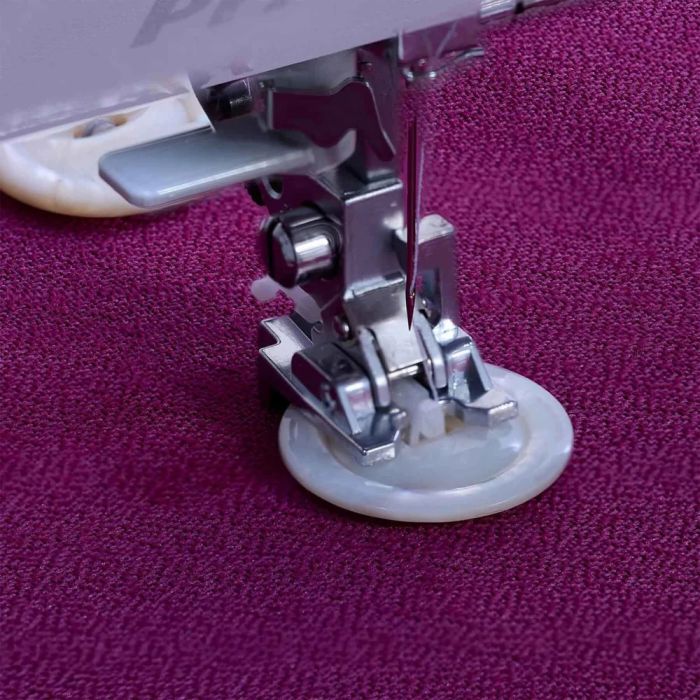
- Easily sews on buttons of all sizes
- Set the stitch width to match the spacing between the holes and your machine does all the work
- Include a shaft to sew on buttons with a thread shank
Compatible with Pfaff Models
Category C
Machines with 5,5 mm stitch width, without IDT™ system
expression™ 2014
tiptronic™ 6112, 6110, 2020, 2010
select™ 2.2, 2.0, 1528, 1526, 1520
hobby™ 4260, 4250, 4240
Category D
Machines with 5,5 mm and 6 mm stitch width, and IDT™ system
select™ 4.2, 4.0, 3.2, 3.0,
select™ 1548, 1546, 1540, 1538, 1536, 1530 (5,5 mm)
tiptronic™ 6270, 6250, 6232, 6230,
tiptronic™ 6152, 6150, 6122, 6120 (5,5/6 mm)
stretch & jeans™ 6091 (6 mm)
freestyle™ 1527, 1522
Category E
Machines with 6 mm stitch width, and IDT™ system
creative™ 2124
quilt expression™ 2046, 2044, 2042
expression™ 2036, 2034, 2028, 2026, 2024
classicstyle™ 2029, 2027, 2025, 2023
tiptronic™ 2040, 2030, 2020, 2010
Category G
Machines with 9 mm stitch width, and IDT™ system
creative™ 2170 , 2144, 2140, 2134
creative™ 7570, 7562, 7550, 7530
performance™ 2058, 2056, 2054
quilt expression™ 2048
expression™ 2038
Category J
Machines with 9 mm stitch width, and IDT™ system
creative sensation™ pro II
creative sensation™ pro
creative sensation™
creative vision™
creative performance™
creative™ 4.5, 4.0, 3.0, 2.0
performance™ 5.0, 5.2
quilt expression™ 4.2, 4.0, 720
expression™ 3.5, 3.2, 3.0, 2.0
expression™ 150, 710
Category K
Machines with 7 mm stitch width, and IDT™ system
creative™ 1.5
quilt ambition™ 2.0, 630
ambition™ 1.0, 1.5, 155
ambition™ 610, 620
ambition essential™
passport™ 2.0, 3.0
Machines with 6 mm stitch width
SMARTER BY PFAFF™ 260c,160s,140s
Category L
Machines with 9 mm stitch width, and IDT™ system
creative icon™ 2
creative icon™
performance icon™
How To Use:
1. Mark on the fabric where you want the button to be placed.
2. Snap on the Sew-on Button Foot.
3. Lower feed dogs.
4. Insert the button between the black metal piece and the presser foot. Make sure that two holes are positioned in the cut-out of the presser foot.
5. Place the fabric under the presser foot. Select button sew-on stitch or zigzag stitch. Lower feed dogs.
6. Select width to match buttonholes. Manually turn the hand wheel to make sure that the needle enters the left hole.
7. Start to sew. The machine will automatically tie off your button if using button sew-on stitch. If using zigzag, sew across button five times.
If you want your button to have a shank:
Push the plastic piece on the presser foot towards you, placing it between the two holes of the button.
When you have finished sewing your button, pull the plastic piece back, remove your button from the presser foot and cut off the threads.
Wrap the seam with sewing thread and make a knot.